AI TOOL / #10274
Frame AI
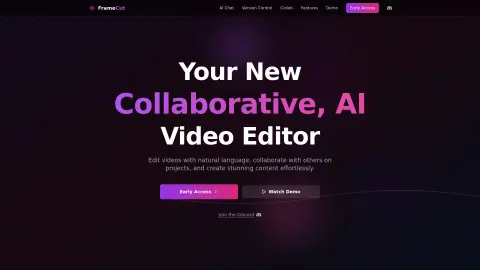
An AI-powered video editor that supports natural language-based editing functions as well as the use of AI agents.
Introduction
AI-powered video editor with natural language editing and AI agents.
What is Mosaic AI?
Mosaic represents a new paradigm in video editing. It is a video editor that revolves around AI-powered chat interfaces and version control systems. You can edit videos using natural language commands, collaborate with others, and create content effortlessly. Mosaic utilizes AI agents to significantly speed up the editing process – reducing the time required from several hours to just a few seconds. Users can construct their videos by adding individual “blocks,” with each block representing a specific editing action.
How to use Mosaic AI?
Use the visual canvas to drag and drop various blocks in order to automate your editing workflow. Configure each block to specify how the output should be generated. Connect these blocks in sequence to define the entire editing process. Edit videos using natural language through the chat interface; AI will automatically identify relevant elements and perform necessary edits based on the content of the video. Additionally, you can use chat prompts and application-based editing tools to assist this process.
The core features of Mosaic AI
AI-powered video editing
Natural language editing via the chat interface
A visual canvas designed for automating work processes
An AI agent designed for automating editing tasks
version control
Video tools are designed to handle visual aspects of content, but the actual stories still need to be created separately. TVLab has compiled a collection of currently popular short-form dramas and common story tropes (such as coming-from-backwards success, hidden identities, contract marriages, etc.). Each inspiration card includes vertical-cut scene breakdowns and visual cues.
Related
Rosebud
Rosebud AI: Use Vibe coding to create 3D games and worlds – without the need for any programming skills.
G3DAI {Jedi}
A generative artificial intelligence platform for game creation that utilizes text-based prompts.
VisionAR – Visualize Your Creations
The AI platform rapidly transforms 2D images/sketches into professional-grade 3D models.
WordCraft3D
Generates 3D models from text and provides downloadable files in various formats.
Zolak
3D product visualization software designed for furniture retailers, utilizing artificial intelligence and computer vision technologies.
Customuse
A platform to create, share and explore custom 3D apparel designs.