AI TOOL / #02626
Blync
A browser extension designed for linking to preview functions, performing selective searches, and integrating with AI assistants.
Introduction
Browser extension for link previews, selection search, and AI assistant integration.
What is Blync?
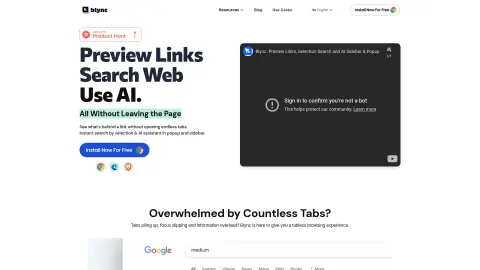
Blync is a browser extension designed to enhance browsing efficiency by allowing users to preview links without opening new tabs, enable quick searches using shortcuts and selected text areas, and provide access to AI assistants via their own accounts (such as ChatGPT or Gemini) within pop-up windows or sidebars. Its goal is to offer a tab-less browsing experience that reduces the need for copying and pasting, as well as switching between tabs, while also offering customizable AI assistance.
How to use Blync?
Install the Blync extension on Chrome, Brave, or Edge. Preview content by hovering over it for a longer time, dragging it, or clicking on the link. Select text on a website to activate the AI assistant option. You can also customize the settings regarding link behavior and the triggers that activate the AI assistant.
The core features of Blync
Link preview
District Search
AI assistants available in pop-up windows and sidebars (ChatGPT, Gemini)
Customizable behavior and appearance
Serverless operations are designed to enhance privacy.
Related
CodiBot
AI chatbot solutions designed to enhance customer support, sales efforts, and overall productivity.
fellowtool.nl
A social media planning tool that includes features for content planning, approval processes, analysis, and AI-assisted functionality.
FeedHive
An artificial intelligence-powered social media management platform used for content creation, scheduling, and analysis.
IQ Hashtags
AI-powered Instagram hashtag and analytics tool to help grow your personal profile.
Atochat – Chatbot Marketing Software
An AI chatbot platform designed for generating leads, automating sales processes, and providing customer support.
Client Responder
Automatically reply to comments on posts and send direct messages to potential customers – this saves time and increases engagement.