AI TOOL / #04207
StudyPal AI – Ultimate Homework Helper
A Chrome extension that allows users to quickly obtain AI-generated answers while browsing web pages.
Introduction
Chrome extension for quick, AI-powered answers within webpages.
What is the StudyPal AI Chrome extension/plug-in?
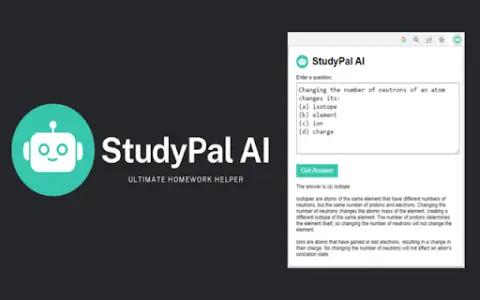
StudyPal AI is a Chrome extension designed to help users quickly locate answers to questions on web pages. By highlighting relevant text and clicking the extension icon, an AI-powered search engine will automatically fill in the question and provide quick and convenient answers, allowing users to stay on the same page without having to leave it.
How to use the StudyPal AI Chrome extension/plug-in?
Install the Chrome extension. Highlight the text on the web page, and click on the StudyPal AI icon in the browser toolbar – the AI will then find the answer for you.
The core functions of the StudyPal AI Chrome extension/plug-in
AI-powered search engine
The highlighted text is automatically used to fill in the search box.
Quickly obtain the answers and explanations.
No need to leave the web page.
Manually enter the options related to the question.
The highlighted text is automatically used to fill in the search box.
Quickly obtain the answers and explanations.
No need to leave the web page.
Manually enter the options related to the question.
Related
Runbear
Code-free AI agents, suitable for teams using Slack, Teams, and HubSpot.
SuperAGI Cloud
An open-source platform used for building, managing, and running autonomous AI agents.
Arena
An artificial intelligence-driven platform designed for building, participating in, and generating revenue from online communities.
Magical AI
AI assistants connect to apps/websites to automate workflows and autofill data.
Relevance AI
Relevance AI: Build and manage AI teams to automate business processes.
Doodlify – Doodle Your Images
AI tools instantly transform photographs into vibrant, graffiti-style artworks.