AI TOOL / #04214
Spot AI
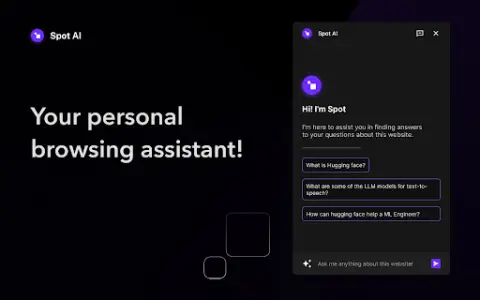
Spot AI reads web pages to answer your questions.
Introduction
Spot AI reads webpages to answer your questions.
What is the Spot AI Chrome extension/plug-in?
Spot AI is a browsing assistant that can read web content and answer questions based on that information. It enables users to easily conduct research and obtain information. It is available as an extension for Chrome and is also compatible with Brave and Arc browsers. Once installed, it can be activated by using the CMD/CTRL + K shortcut key.
How to use the Spot AI Chrome extension/plug-in?
Install the Spot AI extension in Chrome, Brave, or Arc. After installation, activate it by using CMD/CTRL + K. For the best experience, fix the extension in your browser. Then, pose your question, and Spot AI will read the relevant text on the web page to provide you with an answer.
The core functions of the Spot AI Chrome extension/plug-in
Read a web page and answer questions based on its content.
Compatible with Chrome, Brave, and Arc browsers.
Launch it by pressing CMD/CTRL + K.
Related
Siedesk – Help Center & Knowledge Base
All-in-one knowledge base and FAQ creation tool with AI assistance.
Sense 2.0
The AI platform automatically organizes the work resources originating from connected applications to assist teams in their tasks.
Document360 2.0
AI-powered knowledge base software for creating FAQs, user guides, and product documentation.
Autosolve
Autosolve AI enhances the browsing experience by providing instant knowledge, enabling multi-tasking, and conducting fact-checking.
FGenEds
FGenEds turns lecture slides into exam prep materials for general education courses.
Learnitab | Your All-in-One Student Dashboard
An integrated student dashboard designed to enhance productivity, organization, and the ability to identify new opportunities.