AI TOOL / #05876
Do Browser
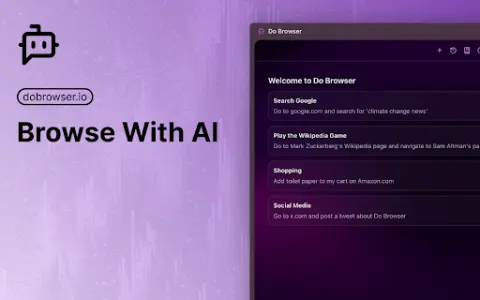
An AI-powered Chrome extension that enables control of the browser via natural language commands.
Introduction
AI-powered Chrome extension for browser control using natural language.
What is a Do Browser AI Chrome extension/plug-in?
Do Browser is an AI-powered extension for Chrome that allows users to control their browser using natural language commands. It provides quick access through the address bar or keyboard shortcuts and also supports voice commands. Its purpose is to simplify tasks such as filling out forms, shopping, and navigating complex web interfaces.
How to use the Do Browser AI Chrome extension/plug-in?
Enter “do” in the address bar or use the shortcut keys Cmd+K/Ctrl+K to activate the Do Browser. Then, use natural language commands to instruct the extension to perform tasks within the browser.
What are the core functions of browser AI Chrome extensions/plugs?
Natural Language Browser Control
Access via the address bar and keyboard shortcuts
Voice command support available
Access via the address bar and keyboard shortcuts
Voice command support available
Related
Teddy AI
A conversational artificial intelligence learning partner designed for children, making the learning process fun and interactive.
Best SAT Score
To help improve scores, digital SAT preparation tools are provided, including practice tests and personalized learning plans.
Benkyu
An artificial intelligence-driven learning platform designed for personalized learning and exam preparation.
PeerAI
AI-powered personalized learning tools offer interactive materials designed to enhance academic performance.
AceIT AI
AceIT AI: A learning companion designed for South African students following the CAPS curriculum.
Unstuck AI
Unstuck AI is a learning tool that allows you to engage in conversations with course materials.