AI TOOL / #06135
Ask Screenshot for ChatGPT
Improve ChatGPT productivity by analyzing screenshots and selected text.
Introduction
Enhances ChatGPT productivity by analyzing screenshots and selected text.
What is the Ask Screenshot AI Chrome extension/plugin?
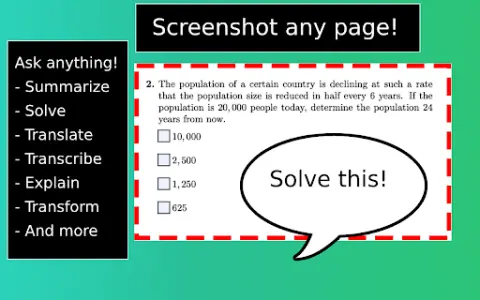
Ask Screenshot is a tool designed to improve productivity in ChatGPT, allowing users to analyze screenshots or selected text directly within ChatGPT. It offers features such as summarization, transcription, and translation, making it easier to extract information and process content from visual and textual sources.
How do I use the Ask Screenshot AI Chrome extension/plugin?
To use Ask Screenshot, right-click anywhere on any page and hover over Ask GPT to access the available screenshot templates. For selected text, right-click the selected text and hover over Ask GPT to view the available templates.
Core features of the Ask Screenshot AI Chrome extension/plugin
Screenshot and analyze: Take a screenshot and automatically open it in ChatGPT for analysis.
Text selection and analysis: Right-click any selected text to automatically open it in ChatGPT.
Related
instaon.io
An artificial intelligence-based advertising optimization platform designed to efficiently manage online advertising campaigns.
AdScan: Save Facebook, TikTok & YouTube Ads
A Chrome extension designed for saving, transcribing, and analyzing online ads, featuring AI capabilities.
qortex.ai
An advanced video intelligence platform that provides actionable insights, enabling the linking of videos with performance results.
FØXai
An artificial intelligence-based creative analysis tool designed to optimize advertising campaigns by providing insights derived from data.
Memorable Ad Maker
An AI platform used to predict the impact of advertising creatives and optimize ad performance.
Ultimate AI Music Maker – Power by suno ai
AI-powered tools that can generate music with just one click, based on textual descriptions.