AI TOOL / #06136
Ask Screenshot for Gemini
Improve productivity by integrating screenshot and text analysis with Gemini.
Introduction
Enhances productivity by integrating screenshot and text analysis with Gemini.
What is the Ask Screenshot AI Chrome extension/plug-in?
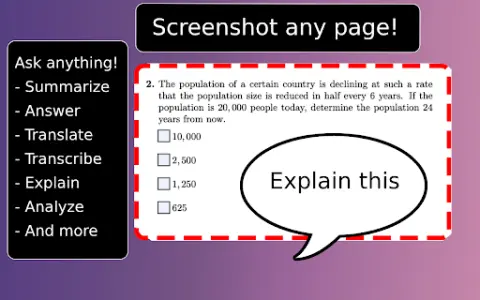
Ask Screenshot is a tool designed to enhance productivity by directly integrating screenshot and text selection analysis with Gemini. It enables users to quickly capture screenshots or select text, and then use Gemini to perform tasks such as summarizing, transcribing, interpreting, translating, or carrying out other operations based on predefined or customizable templates.
How to use the Ask Screenshot AI Chrome extension/plug-in?
To use “Ask Screenshot”, simply right-click on any page and hover over “Ask Gemini” to access the available screenshot templates. For selecting text, right-click on the desired text and hover over “Ask Gemini” to view the available templates.
Explore the core features of the Screenshot AI Chrome extension/plug-in.
Take a screenshot and perform analysis: After capturing the screenshot, Gemini will automatically be used to conduct the analysis.
Select and analyze text: Right-click on any selected text to automatically have Gemini perform the analysis.
Select and analyze text: Right-click on any selected text to automatically have Gemini perform the analysis.
Related
GAtrends
AI Trend Radar for Changes in Keyword Usage
CaptureFlow
A recording-sharing feature that can be used by both humans and AI agents.
Frevana
Use code-free intelligent agent applications to drive growth.
ByteAsk
A C/C++ programming agent that is capable of self-validation
Small Magic: Wizard Sandbox
The Wizard Sandbox created in one day: 7 spells, approximately 1,800 destructible physical fragments – no models or textures used, and the code is open-source.
Voxel engine
A prompt message has been generated; turn on the sound.