AI TOOL / #06631
Voice-to-ChatGPT
Voice-controlled ChatGPT interactions via browser plug-in.
Introduction
Voice-controlled ChatGPT interaction via a browser extension.
What is the Voice-to-ChatGPT ai chrome extension/plugin?
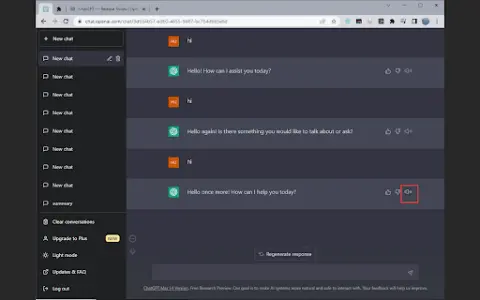
Voice Control ChatGPT is a browser plug-in that allows users to interact with the ChatGPT language model through voice. It leverages Google Chrome's speech recognition and text-to-speech technology to enable users to use voice input and audible replies from ChatGPT. Users can hold down the button to speak their question, release the button to send, and optionally cancel or edit before sending.
How to use Voice-to-ChatGPT ai chrome extension/plugin?
Open the ChatGPT homepage, press and hold the Talk button to speak, and release the button to send your question. You can cancel or edit your entry before sending.
Voice-to-ChatGPT ai chrome extension/plugin core functionality
Voice input to ChatGPT
Text-to-speech output for ChatGPT
Major languages supported
Press and talk function
Related
KnowBias
Artificial intelligence applications are capable of identifying and highlighting political biases present in online content.
Nonbot
A platform for verifying and promoting content created by humans.
Leap AI Detector
Free AI content detector – determines whether a piece of text was generated by AI or written by a human.
AHX – Twitter/X.com AI Helper
A multi-functional AI tool used for generating summaries, conducting fact-checking, searching for resources, and creating emojis, among other tasks.
NPI Lookup
An artificial intelligence-based platform designed to retrieve NPI information regarding medical providers in the United States.
Scite
Scite helps researchers discover and understand research articles through Smart Citations.