AI TOOL / #06796
AutoPod
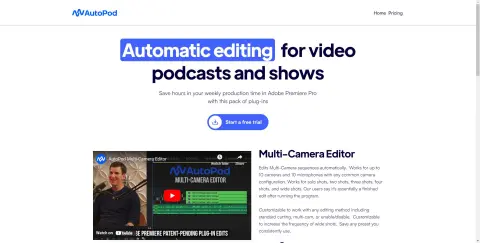
An Adobe Premiere Pro plugin for automatic video podcast editing.
Introduction
Adobe Premiere Pro plugin for automatic video podcast editing.
What is AutoPod?
AutoPod is a set of plugins for Adobe Premiere Pro, designed specifically for video podcast and video program editors. It automates tasks such as multi-camera editing, creation of social media-ready content, and seamless editing based on audio silence markers. By streamlining processes that often prove time-consuming for editors, AutoPod helps to save valuable production time every week.
How to use AutoPod?
Install the AutoPod plugin in Adobe Premiere Pro. Open a project file in Premiere Pro, navigate to Window > Extensions, and then click on the desired AutoPod application. Use these tools to automatically edit multi-camera videos, create social media-ready clips, or add transitions based on audio silence.
The core functions of AutoPod
Automatic multi-camera editing
Social media content creation
Jump-cut editing
Social media content creation
Jump-cut editing
Related
SummaVerse
An AI-based platform used for document summarization, chatbot creation, and interactive discussions.
PlutoAI
An AI-powered bookmark manager designed to help you organize, manage, and access online content efficiently.
ChatGPT » Summarize everything!
A Chrome extension that uses ChatGPT to summarize web pages and YouTube videos.
Website Summarizer
A Chrome extension that uses the Gemini API to generate summaries of web pages and allows interaction with AI chatbots.
Page Summarizer (Using AI)
Browser extensions designed to use AI technologies (such as OpenAI or Transformers.js) to summarize the content of websites.
Nestornotes.com chrome extension
Chrome extension to save and organize web pages with AI-powered summarization and management.