AI TOOL / #07146
ImageToText
An extension that copies text from images on the internet via the OCR.Space API.
Introduction
An extension to copy text from images on the internet using OCR.Space API.
What is the OCR.Space API AI Chrome extension/plugin?
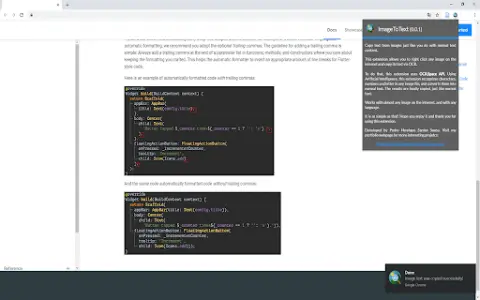
This extension lets you copy text from any image on the internet just like regular text content. Simple—that's the goal of this app. Just right-click the image, select “Copy Image Text,” and you're done… You can use and paste the text you see in that image. It's very useful for extracting text from informative, entertaining, and code-block images. Now you don't have to rewrite everything—with this extension, the problem is solved. To process images, this extension uses the OCR.Space API.
How do I use the OCR.Space API AI Chrome extension/plugin?
Right-click an image, select "Copy Image Text," and then paste the extracted text.
Core features of the OCR.Space API AI Chrome extension/plugin
Copy text from images on the internet.
Related
CopilotKit
CopilotKit integrates AI into apps through plug-and-play React components that are open source and customizable.
Breadcrumb.ai
An AI-driven data analysis platform designed to automate the generation of customer reports and provide valuable insights.
Athena Global
An AI-driven platform for data analysis and business intelligence that enables actionable insights to be obtained.
Hex
An AI-powered collaborative workspace designed for data analysis, modeling, and the development of interactive data applications.
Spoc AI
Spoc AI automates project management, enhancing team productivity and providing valuable insights into potential risks.
Shape
Shape is an AI data analyst that can connect to your database and answer questions.