AI TOOL / #07481
Spaceduck
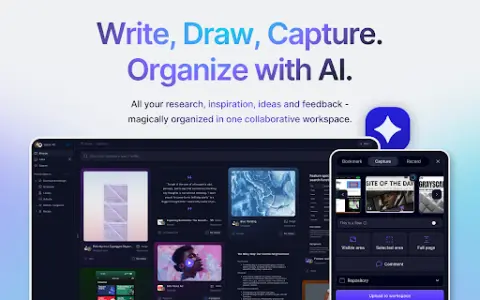
Spaceduck is a screenshot tool that incorporates artificial intelligence-powered organization and collaboration features.
Introduction
Spaceduck is a screenshot tool with AI-powered organization and collaboration features.
What is the Spaceduck AI Chrome extension/plugin?
Spaceduck is an innovative extension tool designed to completely transform the way teams capture, manage, and collaborate on visual data. It offers a comprehensive range of screenshot-taking capabilities, enabling users to easily capture content from specific areas of web pages to entire user interfaces in both web applications and desktop programs. In addition to its basic screenshot functionality, Spaceduck stands out for its advanced AI-powered library management system. This system automatically organizes, labels, names, and describes your collection of screenshots, allowing you to quickly locate any particular item through simple natural-language searches.
How to use the Spaceduck AI Chrome extension/plug-in?
Use Spaceduck to capture screenshots of web pages or applications, and then leverage its artificial intelligence to automatically organize, label, and describe these screenshots. Share them with your team for collaborative analysis and feedback.
The core functions of the Spaceduck AI Chrome extension/plug-in
Screenshot capture (specific area, entire page, user workflow)
Artificial intelligence-driven library management (automated organization, labeling, naming, and description)
Natural Language Search
Team collaboration features (sharing, discussion, feedback)
Artificial intelligence-driven library management (automated organization, labeling, naming, and description)
Natural Language Search
Team collaboration features (sharing, discussion, feedback)
Related
white noise
Lately, when I’m working, I like to listen to white noise. The combination of the sounds of rain, thunder, and ocean waves makes me feel as if I’m on a rainy day by the sea, which helps me concentrate easily while working. Here, I would like to share with you two websites that offer excellent white noise options: Defonic and A Soft Murm.
Office Tool Plus
Office Tool Plus is a free and powerful tool for managing Office software installations. It eliminates the difficulties associated with downloading and installing Office applications and allows users to customize the installation process. Additionally, it comes equipped with various useful utilities related to Office.
Parallel translation of PDF documents using Lingban technology
Lingban AI is a browser extension developed using large-scale AI models. It enables your browser to function as an all-round AI assistant, offering features such as AI translation, conversations with AI, AI-assisted writing, AI-based reading and summarization of web pages and papers, information retrieval, note-taking, and drawing tools. With so many efficient capabilities at its disposal, browsing the internet becomes significantly more convenient and productive.
character set
FontSet is a free font download website that offers access to thousands of open-source, free font resources. The website features no advertisements and allows users to download fonts directly without the need to register or log in. Each font is accompanied by a preview and description, with a download button located immediately below the information section. (Some fonts may not have available download files.) It’s important to note the types of fonts available on this website.
Easy-to-search websites – an efficient way to find what you need online
Yisou Site is a web data search engine that can help you efficiently locate high-quality websites. It is an essential tool for promotional and operational purposes, offering features such as quick filtering of SEO-friendly sites, analysis of competitors in the same industry, recommendations for similar websites, queries related to sub-sites, and comparison of website traffic data. For ordinary users, it can serve as a useful alternative to other traditional methods.
PixPin
PixPin is an incredibly versatile tool for taking and editing screenshots. It directly competes with the well-known Snipaste, and in addition to that, it offers many other useful features such as OCR text recognition, the ability to take long screenshots, and the capability to record GIF animations – all functions that are widely used by users. So far, the developer has only released the Windows version of this tool.